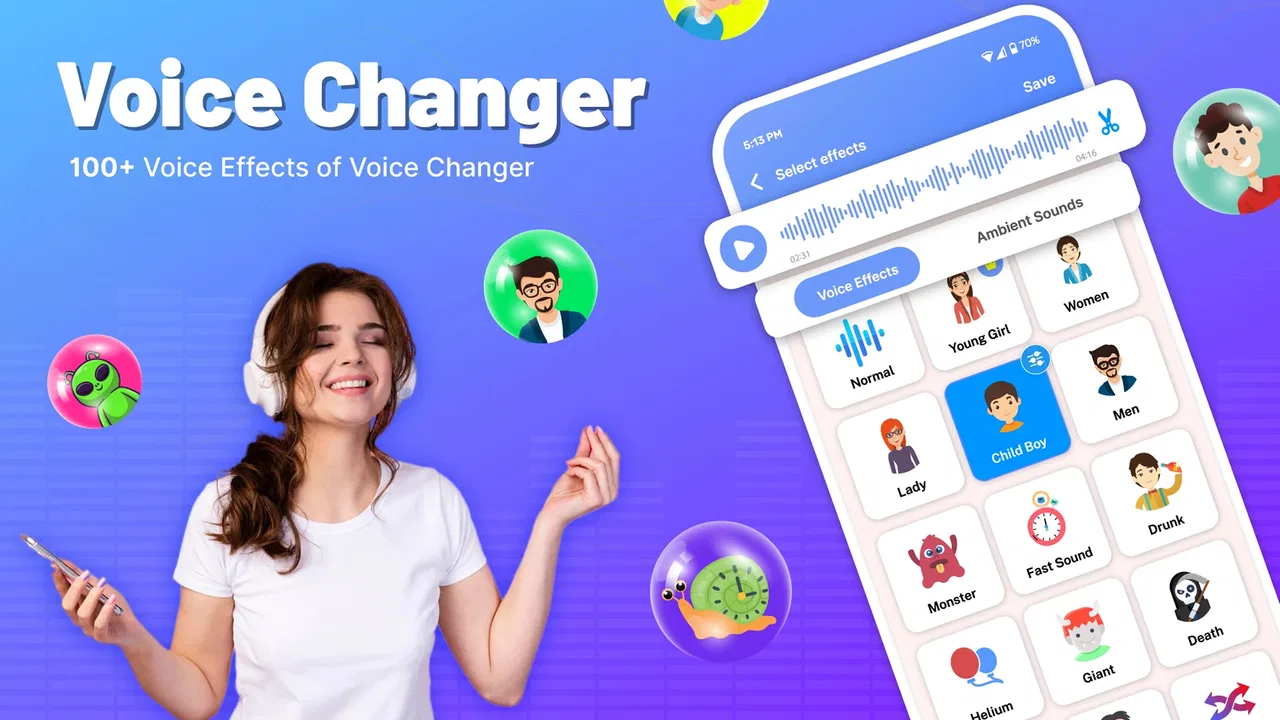
Voice Changer Male to Female
- 4.3
- Rating
- 5.00M
- Installs
- Free
- Price

 Analysis by App-foxy
I tried Voice Changer Male to Female as a casual audio tool rather than expecting a studio-grade vocal processor, and that distinction matters. This is a free music and audio app from DOSA Apps built around changing the character of a voice, especially for playful male-to-female transformations and jokes shared with friends. The idea is immediately understandable, but the real question is whether it feels useful after the first amusing test. My answer is yes for short, lighthearted experiments, although I would not choose it as my main recording solution for serious music, professional voice work, or sensitive conversations.
The app has attracted a sizeable audience, with an average rating of 4.3 from around 15 thousand ratings and more than 5 million installs. That gives me some confidence that the basic concept is accessible to many people, but popularity alone does not make a voice effect convincing. What I noticed is that the experience depends heavily on how carefully I record, how much background noise is present, and whether I treat the result as entertainment instead of a realistic identity transformation.
What the app is really useful for
At its best, this is a quick way to create a funny voice clip without learning audio software. I can imagine using it at home to record a playful message for a friend, make a silly character for a short video, or test how a familiar phrase sounds with a different vocal style. The appeal is the short path from speaking to hearing something noticeably altered. I do not need to understand equalization, pitch curves, or vocal synthesis before trying the central function.
You May Also Like

 Blood Strike: 2.5 Anniversary
Blood Strike’s Loadouts Turn Every Drop Into a Tactical Gamble
A close look at Blood Strike’s custom loadouts: how fast access to signature weapons reshapes its battle royale rhythm, rewards preparation, and narrows the gap between fights.

 Pandora - Music & Podcasts
Pandora’s Music Is Easy to Start, but Harder to Recover
Pandora’s strength is its low-effort path from a seed to a station. Its weak spot is how much confidence it asks you to place in connection, setup, and quiet recovery.

 8 Ball Pool
 Is Built on Rivalries, Rematches, and Routine
A close look at the rivalries, rematches, shared routines, and unanswered safety questions that turn a quick pool match into a persistent mobile community.

 Samsung Music
’s Quiet Strength Is Playing What You Already Own
Its reach comes less from spectacle than from dependable access to a personal library. That simplicity is both the app’s strongest retention engine and its ceiling.

 AccuWeather: Weather Radar
AccuWeather Review: A Quick, Clear Forecast for Everyday Decisions
For everyday plans, the best forecast is the one you can understand quickly. AccuWeather makes rain timing, radar, and local conditions easy to act on, with a few trade-offs.

 Hill Climb Racing
Why Hill Climb Racing Still Turns Crashes Into One More Run
A tiny car, a bumpy hill and one more upgrade: Hill Climb Racing keeps resurfacing because its simple chaos makes every near-miss feel personal.
More From Our News Desk



That simplicity also defines the limits. A voice changer can alter pitch and tone, but it does not automatically create a believable new speaker. Natural speech contains rhythm, emphasis, breath, pronunciation, and emotional detail. If I speak in exactly the same manner after applying an effect, the result may sound like my original voice moved into a higher register rather than a completely different person. For a joke, that is often enough. For narration that needs to sound polished, it is not.
I found the app most suitable for people who want immediate experimentation on a phone running a recent enough version of Android. It supports Android 8.0 and later, so compatibility is broad without being universal. The current release is version 2.1.3, which is useful context when deciding whether an older handset is likely to be comfortable. The app is marked for Everyone, but parents should still explain the social side of voice manipulation: a harmless effect can become misleading if someone uses it to imitate another person without permission.
How I would use it in an ordinary day
Imagine recording a birthday greeting for a friend who enjoys silly surprises. I would first move somewhere quiet, write a short sentence, and record it with a relaxed voice rather than shouting into the phone. Then I would listen to the altered result before sharing it. That last step is important because a voice effect that sounds funny through headphones may be too sharp, muffled, or artificial through a phone speaker. I would keep the clip short, since the novelty works better in a compact message than in a long monologue.
Another practical use is character sketching. If I am writing a small comedy scene, I can use the app to explore whether a line feels more playful, dramatic, or exaggerated when the vocal register changes. This is not the same as producing the final audio, but it can help me decide how a character should sound. The useful workflow is to treat the app as a quick idea generator: record several short versions, compare them, and keep the one with the clearest delivery rather than automatically choosing the most extreme effect.
For social content, I would be more careful. A changed voice can make a short private joke more entertaining, but public posts can easily be misunderstood. I would avoid presenting an altered clip as a real statement from another person, especially in a context involving money, safety, reputation, or news. The app makes transformation easy; responsible labeling is still my job.
Getting cleaner results than a first attempt
The biggest improvement does not come from tapping a more dramatic setting. It comes from recording better source audio. I get a cleaner result when the phone is held at a steady distance, the room is quiet, and I leave a small pause before speaking. Fans, traffic, television audio, and echoes can remain noticeable after processing, making the changed voice less convincing and harder to understand.
I also recommend speaking slightly slower than usual. Fast speech gives the effect less room to preserve individual words, while a measured delivery keeps the result intelligible. Short sentences are easier to judge than long paragraphs. If I want a playful result, I change my acting as well as the pitch: a different rhythm or exaggerated emphasis often contributes more to the character than simply pushing the voice higher.
A less obvious tip is to compare the recording at two listening levels. At a low volume, I can tell whether the words remain understandable; at a normal level, I can notice harshness or distortion. This matters because a voice that sounds impressive for a few seconds may become tiring over a longer clip. I would also keep the original recording until I am satisfied, since the unaltered version gives me a useful reference and allows another attempt without repeating the whole performance.
Trust, controls, and moments that deserve care
Because this app handles voice recordings, I approach it differently from a simple visual filter. A voice can be personally identifying, and a recording may include private conversations, names, locations, or background sounds. The responsible approach is to use my own voice, record intentionally, and avoid capturing anyone else unless they agree. I would not use it to impersonate a colleague, family member, public figure, or customer-service representative.
The practical trust question is not only whether the effect works. It is also whether I understand what I am choosing when I record, process, save, or share audio. I look for visible prompts and controls inside the app rather than assuming that every recording is handled the same way. If a screen requests microphone access, I want that request to appear at the moment recording is needed. If the app offers a choice about saving or sharing, I prefer making that decision myself instead of treating every clip as something that should leave the device.
I cannot turn a fun voice experiment into a private one merely by changing the pitch. The altered file may still contain the original words, timing, background noise, and recognizable speaking habits. A transformed voice is not automatically anonymous. For that reason, I would never record passwords, medical details, financial information, private arguments, or confidential work material just to hear how they sound with an effect.
There is another data-sensitive moment that is easy to overlook: sharing a clip with friends. Once a recording is sent through a messaging service or posted publicly, control can become more difficult even if the original app gave me a clear choice. I would listen to the final file, check for accidental comments in the background, and ask whether everyone captured in the recording is comfortable with it. This small review step is more valuable than chasing the most dramatic transformation.
Free access and the choices around it
The app is free to download and use as an entry point, while in-app purchases range from less than a dollar to nearly a hundred dollars per item. That is a wide span, so I would not approve a purchase casually. I would first explore what is available without paying, identify which function I actually need, and read the purchase screen carefully before confirming anything. A free label does not mean every option inside the app is free, and a large price range makes it especially important to understand the exact item being offered.
I also prefer keeping purchase decisions separate from experimentation. If I am showing the app to a child or letting a friend try it on my phone, I would use the device’s purchase safeguards and avoid handing over an unlocked confirmation screen. The Everyone rating describes the broad audience suitability, but it does not replace ordinary supervision around recordings, sharing, and payments.
My sense of user agency improves when I can decide what to record, whether to keep it, and where it goes next. I would look for clear buttons rather than tapping through a sequence automatically, and I would stop if a permission or sharing request did not match what I was trying to do. The most trustworthy habit is simple: grant only the access needed for the action in front of me, review the result, and share deliberately.
Where it stands beside familiar alternatives
Compared with a full desktop audio editor, this app is much faster to approach but far less flexible. A desktop editor is better when I need precise control over pitch, timing, noise reduction, layering, or final export quality. It also takes more time to learn. Voice Changer Male to Female makes more sense when the goal is a quick phone-based result, not a carefully mixed production.
Compared with built-in voice effects in social platforms, its appeal is that I can focus on the voice-changing idea before committing to a public post. Social apps may be more convenient when I am already making a video, but their effects are usually tied to that platform’s recording and sharing workflow. Here, I can think about the audio first and decide later whether it belongs in a message, a private project, or nowhere at all.
Compared with a professional voice-training or accessibility tool, this app has a different purpose. I would not rely on it to evaluate vocal health, practice a clinically meaningful voice change, or create dependable communication support. Its strength is playful transformation. Choosing it for a serious need would be a category mistake, just as choosing a studio editor for a ten-second joke would be unnecessary work.
Who should install it, and who should skip it
I would recommend trying it if you enjoy experimenting with voices, making harmless jokes, or developing simple characters for short recordings. It is especially approachable for someone who does not want a technical audio lesson before hearing a result. The free starting point also makes it easy to test the basic appeal before deciding whether any optional purchase is worthwhile.
I would skip it if I need reliable realism, detailed editing, clean commercial narration, or strong control over a finished audio track. I would also avoid using it for impersonation, anonymous complaints, official messages, or anything where the listener could make an important decision based on the altered voice. In those situations, the risk of confusion is greater than the entertainment value.
My final view is positive but deliberately narrow. DOSA Apps has made a straightforward music and audio utility that can turn an ordinary recording into a playful experiment, and its broad Android compatibility helps it reach many casual users. Still, the best results require quiet recording, restrained expectations, and thoughtful sharing. The app is most trustworthy when I stay in control of the recording and its destination. Used that way, it is a fun free tool for short creative moments; used as a substitute for professional voice production or a disguise for real-world identity, it is the wrong choice.
FAQs for Voice Changer Male to Female
01What is Voice Changer Male to Female and what does it do?
Voice Changer Male to Female is an audio effects app designed to modify recorded or live voice input so it sounds more feminine. After selecting or recording audio, users can apply a female-style voice effect and often adjust additional sound settings. The exact result depends on the original voice, recording quality, selected effect, and the device’s microphone performance.
02Can Voice Changer Male to Female change my voice in real time?
Some versions of Voice Changer Male to Female support real-time voice effects, while others primarily work with prerecorded audio. Before downloading, check the app’s current feature list and permissions because live voice changing may only be available in specific modes or through compatible calls, games, or messaging tools. Real-time performance can also vary depending on device speed and internet requirements.
03Is Voice Changer Male to Female free to use?
The app may be available as a free download, but certain voice effects, recording options, export tools, or advanced controls can be restricted behind advertisements, in-app purchases, or a subscription. Review the store listing carefully before installing, especially if you want unlimited use. Free features may still be sufficient for casual recordings, jokes, social posts, and basic experimentation.
04Does the app require access to my microphone or personal files?
Voice Changer Male to Female normally needs microphone access to record your voice and may request permission to access local audio files if you want to import or save recordings. These permissions are related to the app’s core functions, but you should review them before accepting. If a permission seems unnecessary, deny it and check whether the main features still work.
05Can I use the modified voice in calls, games, or social media?
The modified recording can generally be saved or shared through supported apps, but direct voice changing during phone calls, video chats, or online games is not guaranteed. Many mobile operating systems limit how applications access microphone audio from other apps. For reliable results, create the altered recording inside the app first, then export it to a compatible messaging, video, or social media platform.
Pros
- Simple interface makes voice conversion quick to access.
- Offers entertaining male-to-female voice effects for calls or recordings.
- Useful for creating playful content
- jokes
- and social media clips.
- Audio previews let you test effects before saving or sharing.
- Lightweight design should work smoothly on many Android devices.
Cons
- Voice quality can sound robotic
- especially with higher-pitched settings.
- Some features or effects may require in-app purchases.
- Results depend heavily on microphone quality and recording conditions.
- Privacy details should be checked before uploading or processing recordings.
- May include advertisements that interrupt frequent use.

Voice Changer Male to Female
Gallery